Sales CRM · for inbound lead teams
Every new lead starts a clock. Every follow-up kept.
Leads from Meta Lead Ads, IndiaMART, Google Ads forms and your website land in one book, reach a rep's phone with a five-minute reply clock, and no call gets logged without the next step booked.
No card · 20 seats · 25,000 leads a month · Nothing switches off on day 60
Six questions every floor owner asks us.
Straight answers, each with the screen that proves it.
Fig. 2 · Mon 21:14 · First touch
The old way: an after-hours lead sits in a sheet until someone notices.
A lead lands at 9:14 pm. It already has a rep.
The moment the form is submitted, GrowthForceOS checks the phone number against every lead you have, sets obvious junk aside with the reason shown, picks an owner with your routing rules, and pushes the lead to that rep's phone. A fresh lead shows 'reply in 4:59' and counts down.
- Same person, same form, three submits: one lead, not three.
- Junk is set aside, not deleted. A real lead caught by mistake is restored in one tap.
- Round-robin from day one, or your own rules, first match wins. A rep on leave is paused and gets nothing.
- Your New stage carries a 15-minute first-touch SLA. Miss it and the lead shows up in the manager's At risk queue.
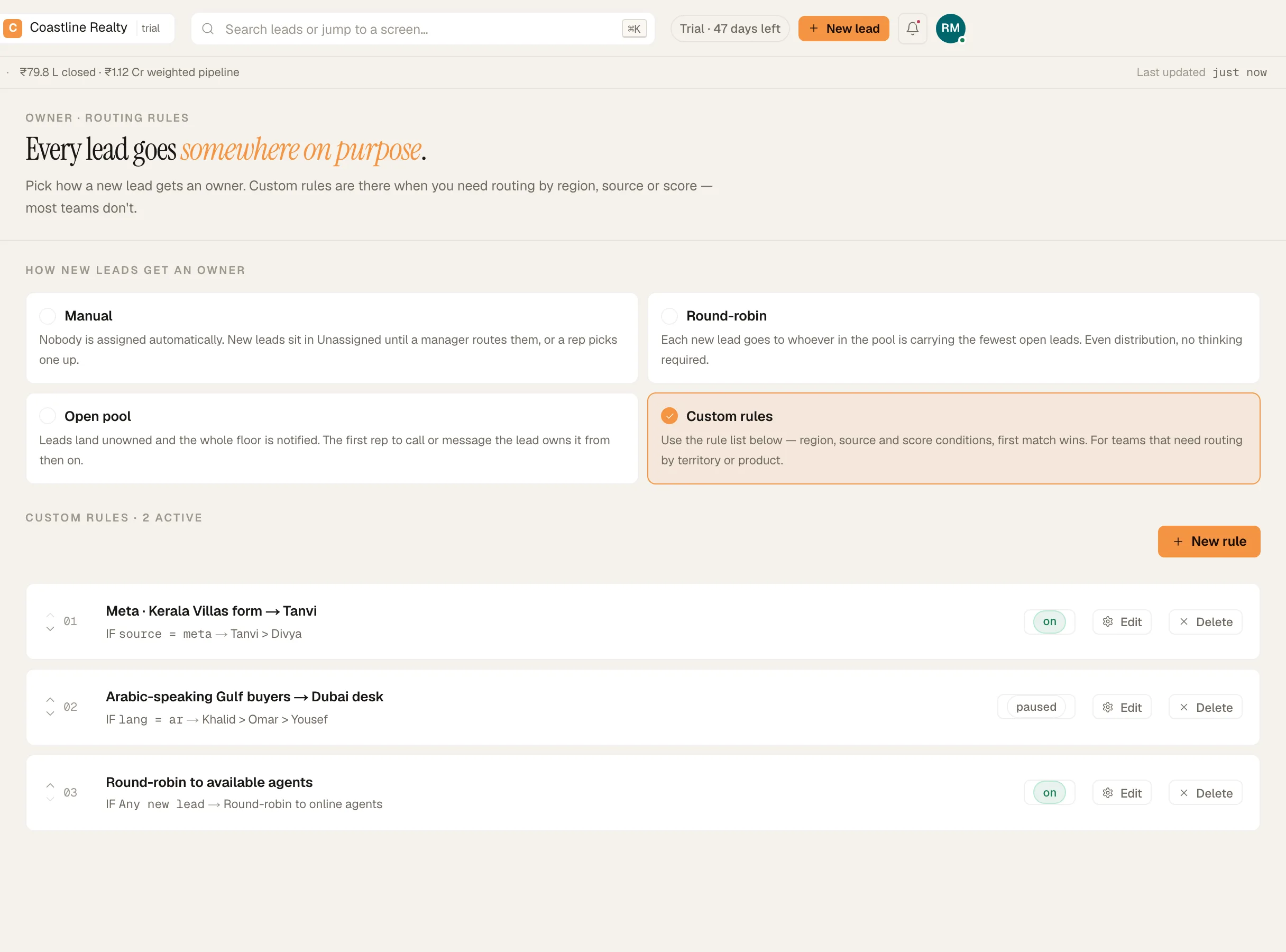
Fig. 3 · Mon 21:19 · No answer
The old way: one ring, no answer, and the lead is never tried again, or it's marked Lost to clear the screen.
No answer is a schedule, not an outcome.
The no-answer ladder brings the lead back onto the rep's Today list on different days, spaced the way you set it. When the attempts run out, it parks in the No-answer rail on your pipeline board, where everyone can see it.
- Set the attempts before parking and the spacing between them in Setup › Automations.
- Each retry lands back on Today on its day.
- Parked leads sit in the No-answer rail, not in your Lost reasons.
- Closing a lead as Lost asks for the reason, so your Lost report means something.
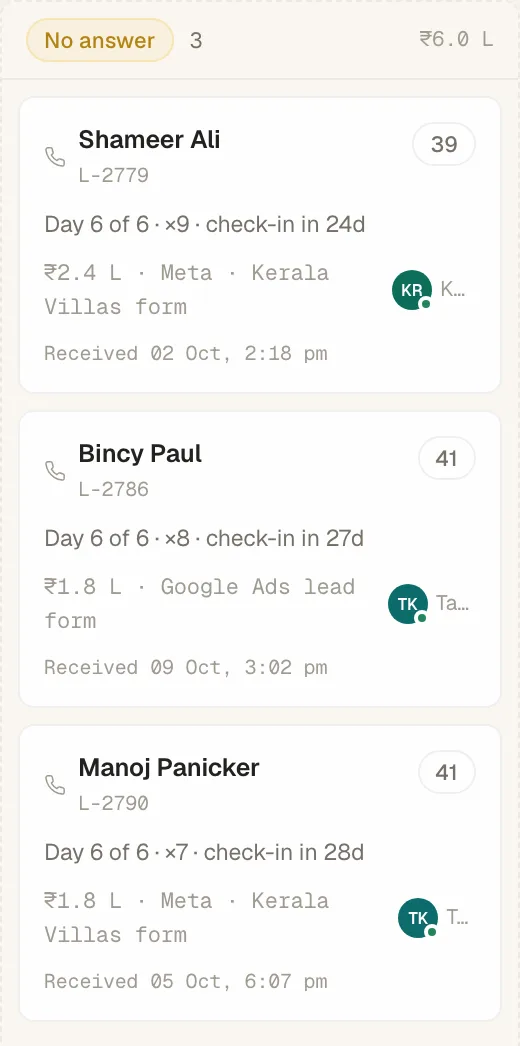
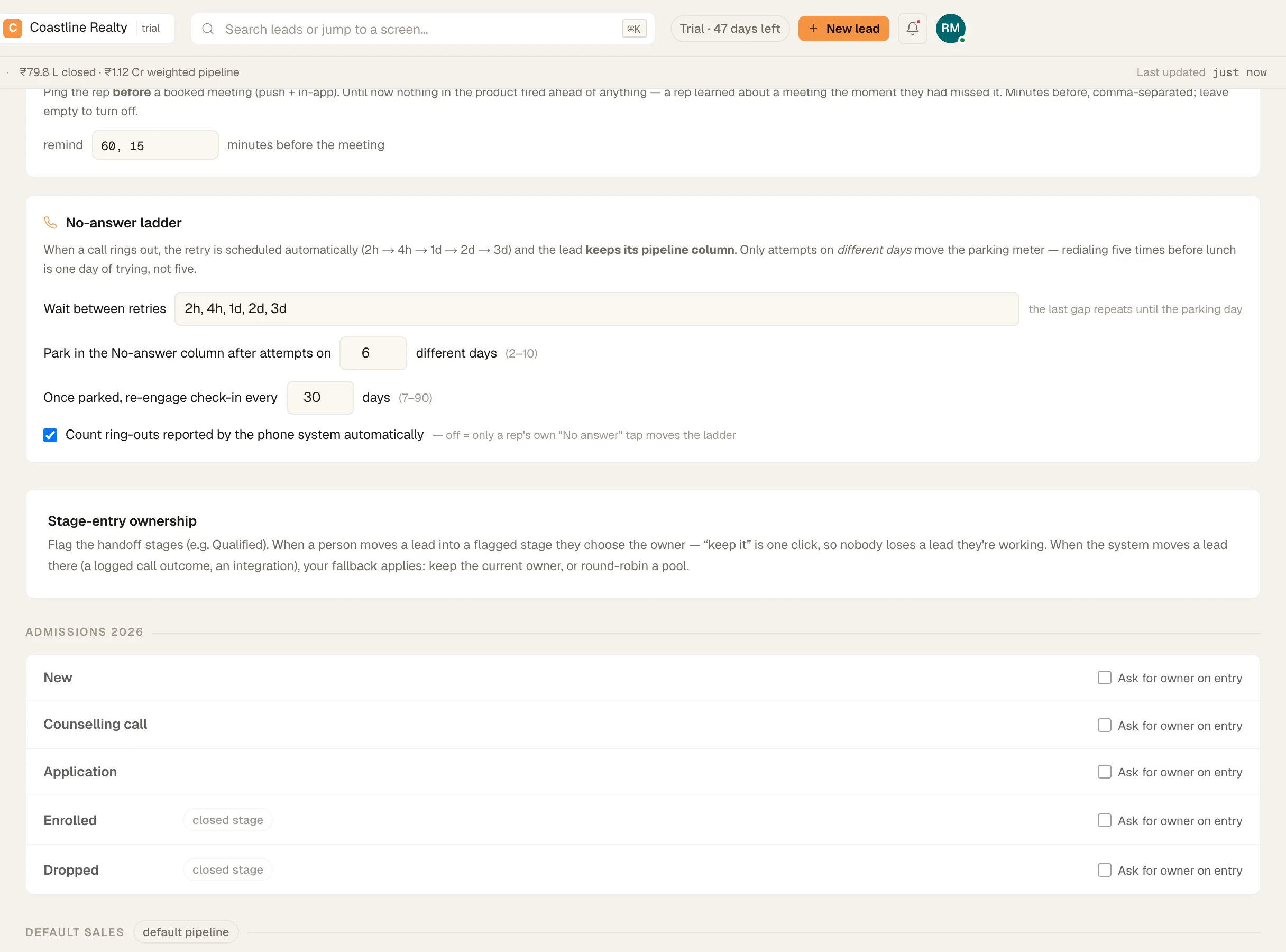
Fig. 4 · Tue 11:02 · Connected
The old way: “Call me Thursday” is said on a call and written nowhere.
No call ends without a next step.
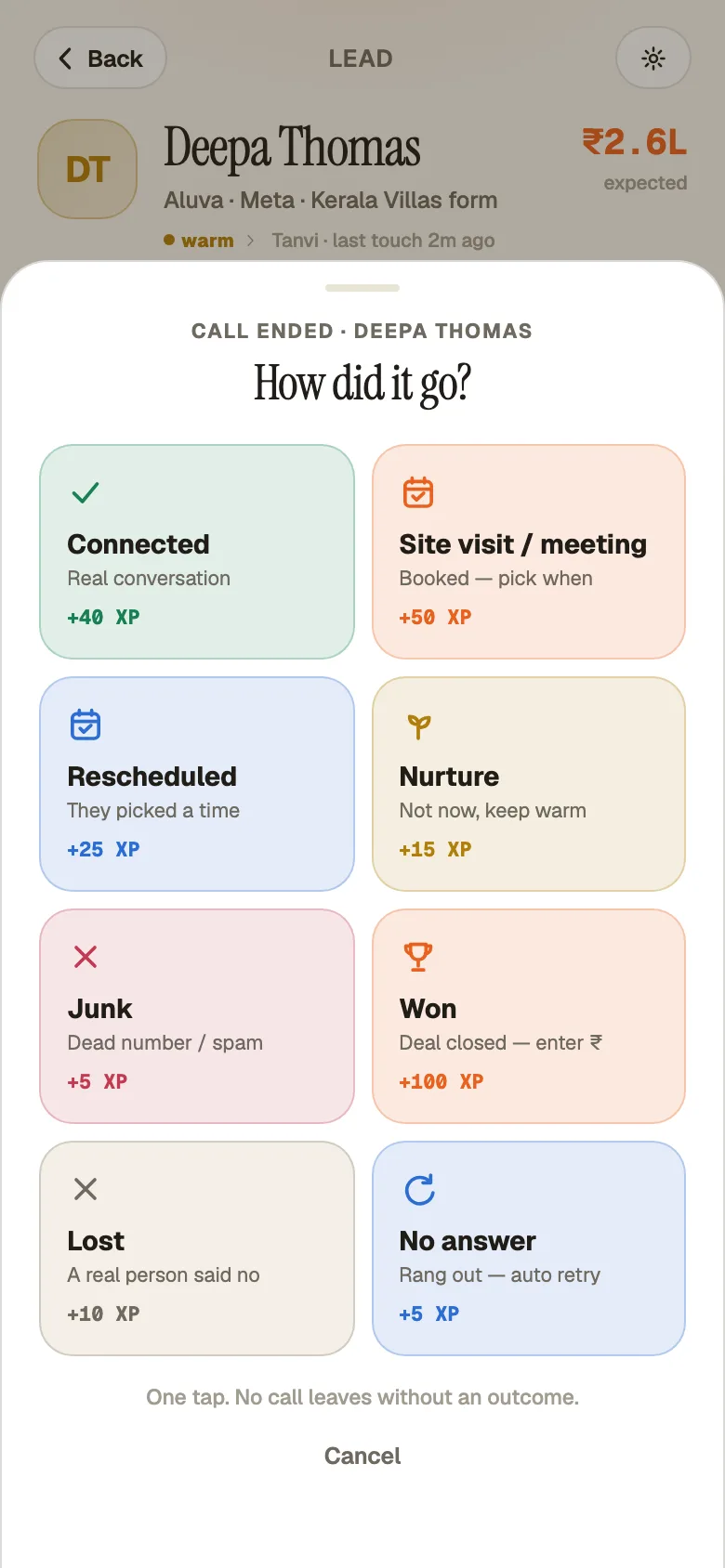
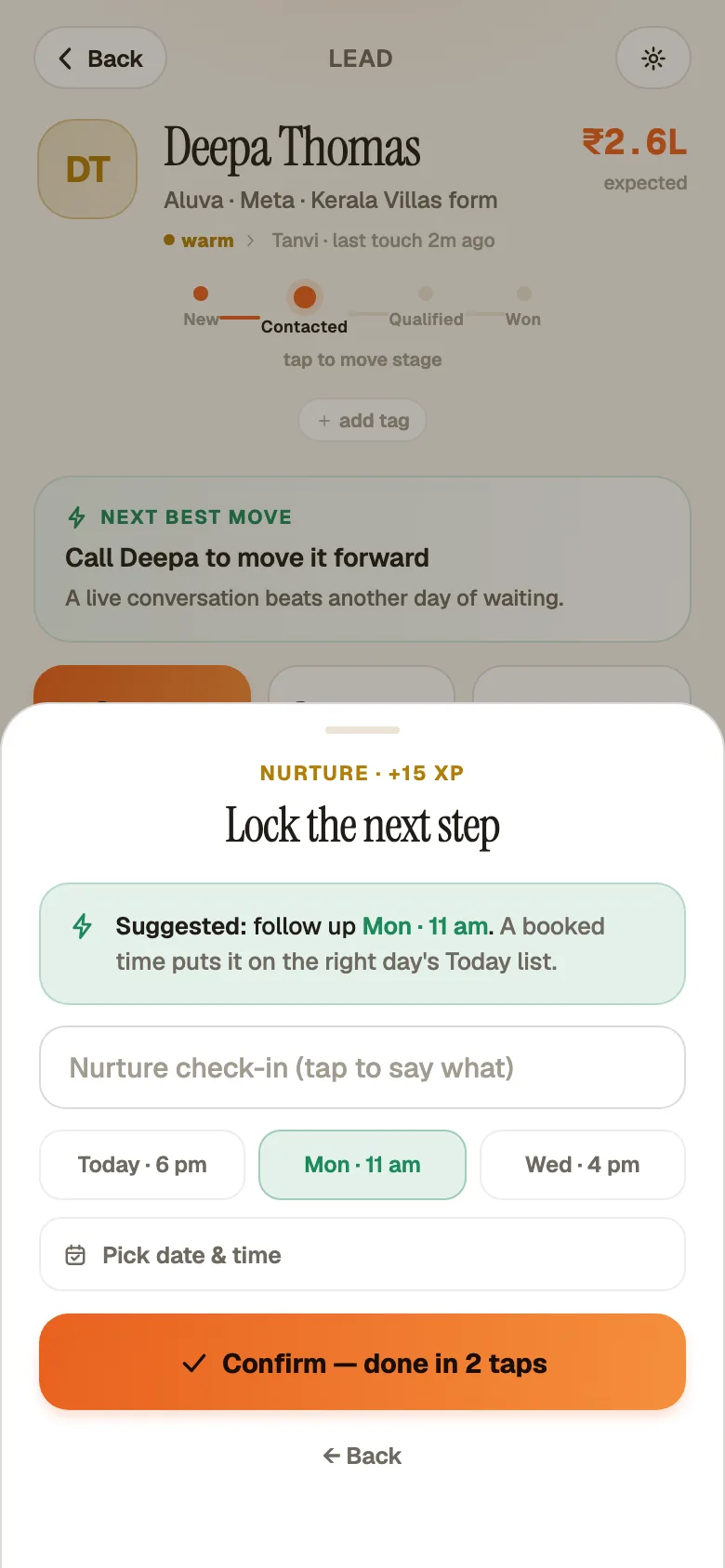
When a call ends, the rep's phone asks two things: what happened, and when you're talking next. Two taps, 'Confirm — done in 2 taps', and the follow-up is on the right day's Today list.
- Outcomes your reps recognize: 'Connected', 'No answer', 'Lost'.
- A booked site visit becomes a task. It survives a reschedule and pings the rep an hour before, then 15 minutes before.
- Afterwards the rep records whether it happened and what comes next.
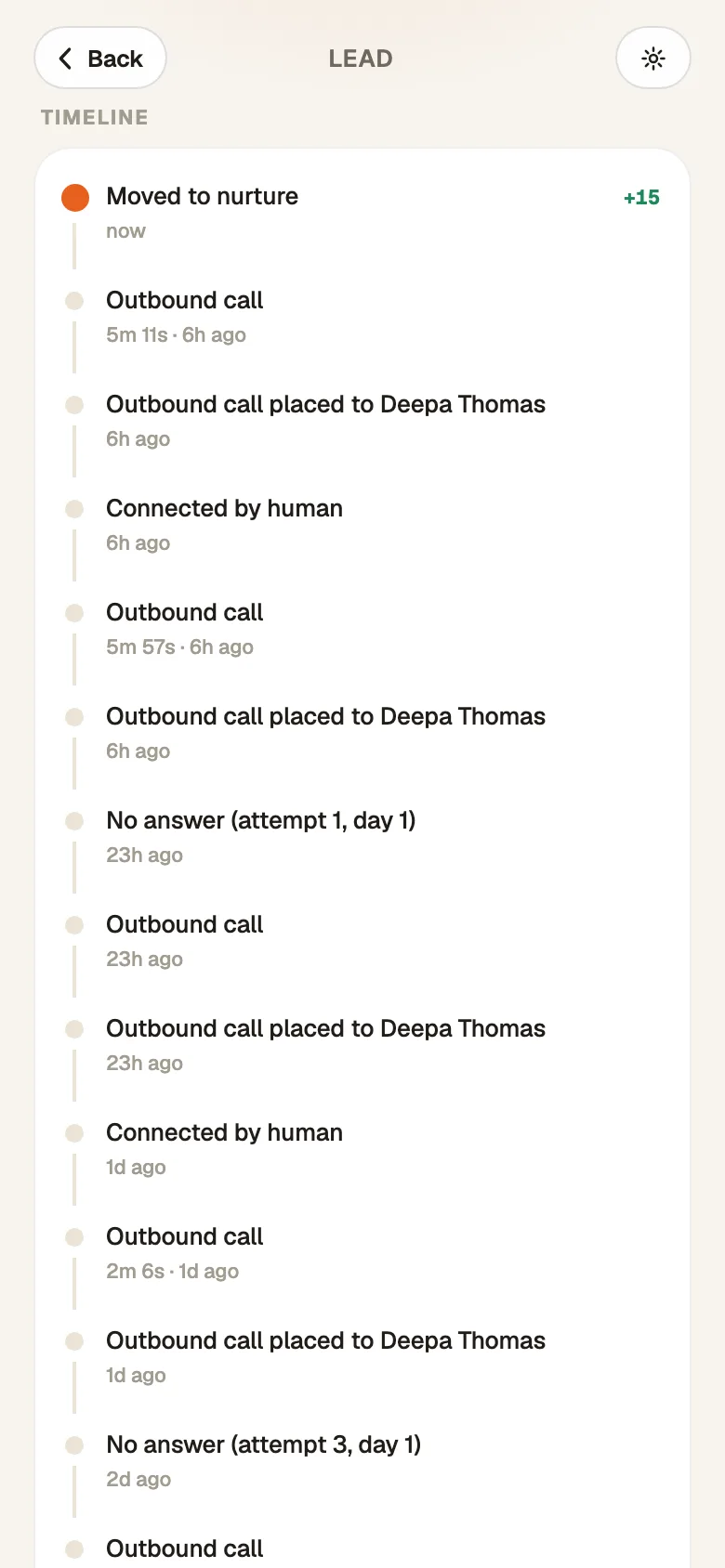
- The WhatsApp templates you write go out from the rep's own WhatsApp in two taps, and the lead's timeline records which one was sent.
Run two full months of leads through it before you decide.
Sixty days is long enough to see two monthly cycles of your own leads, not a demo's.
No card · 20 seats · 25,000 leads a month · Nothing switches off on day 60
Android app
Your reps live on their phones. So does GrowthForceOS.
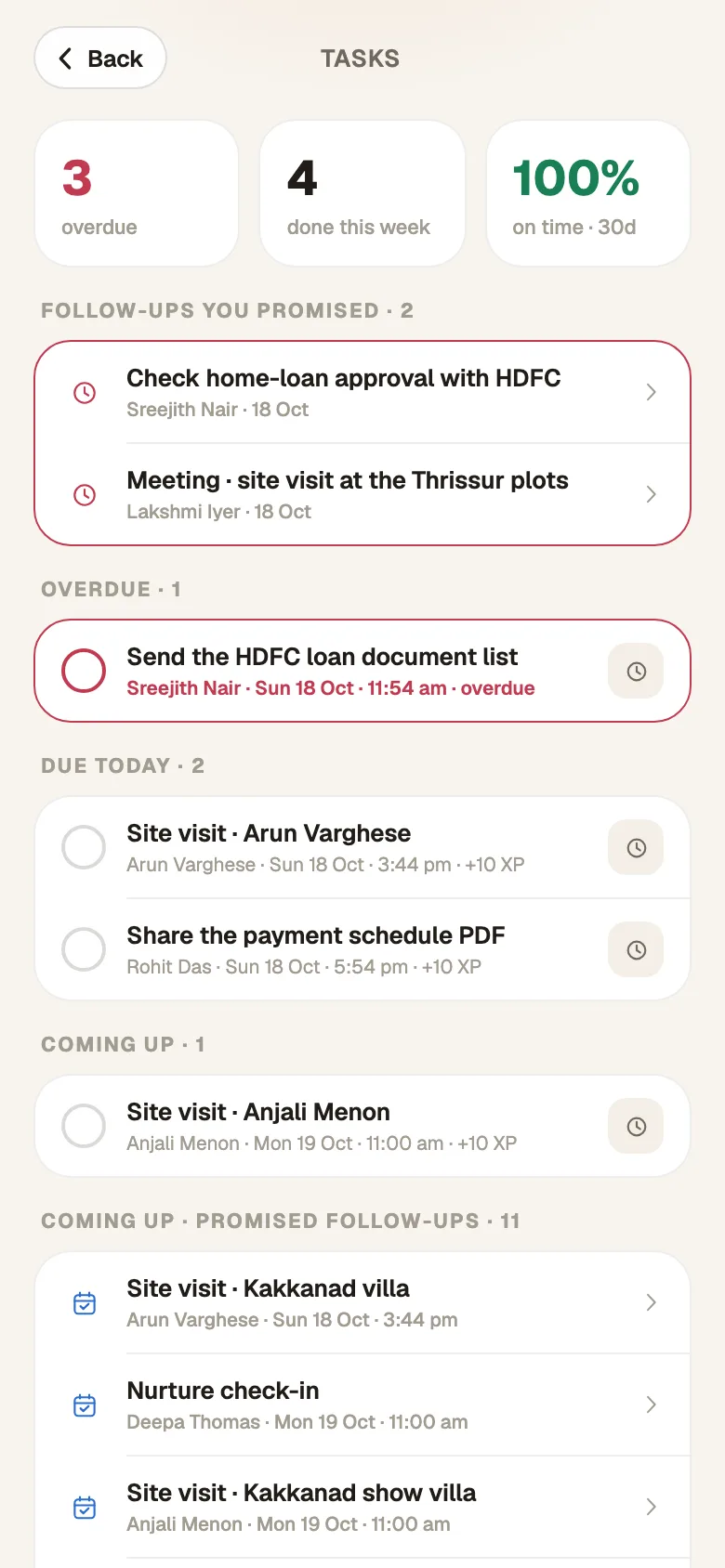
The app is where the floor works: today's list, one-tap calling, two-tap logging, WhatsApp templates and meeting reminders. It keeps working on patchy signal and syncs when the signal is back.
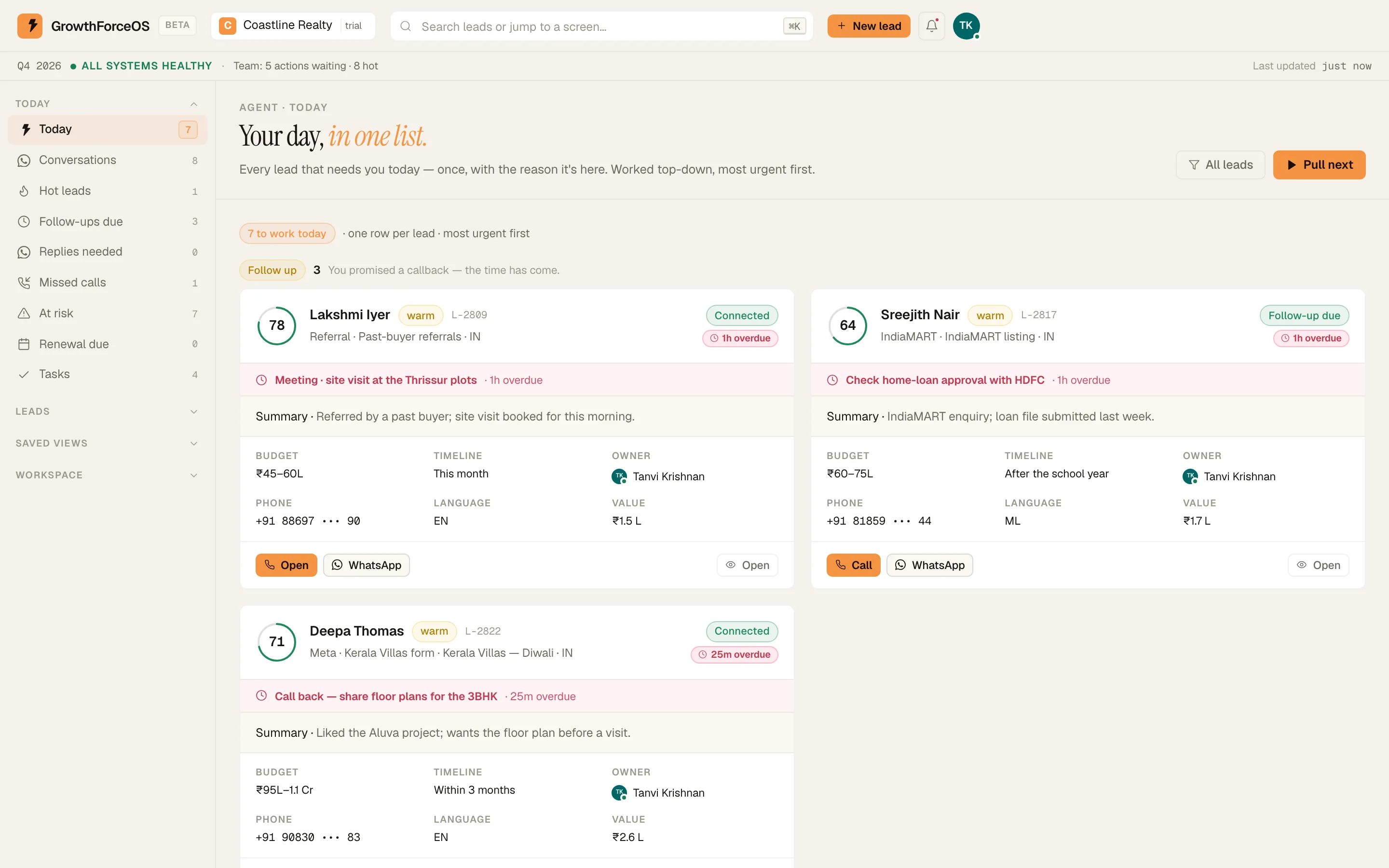
- 'Today': every lead that needs the rep, once, with the reason it's there.
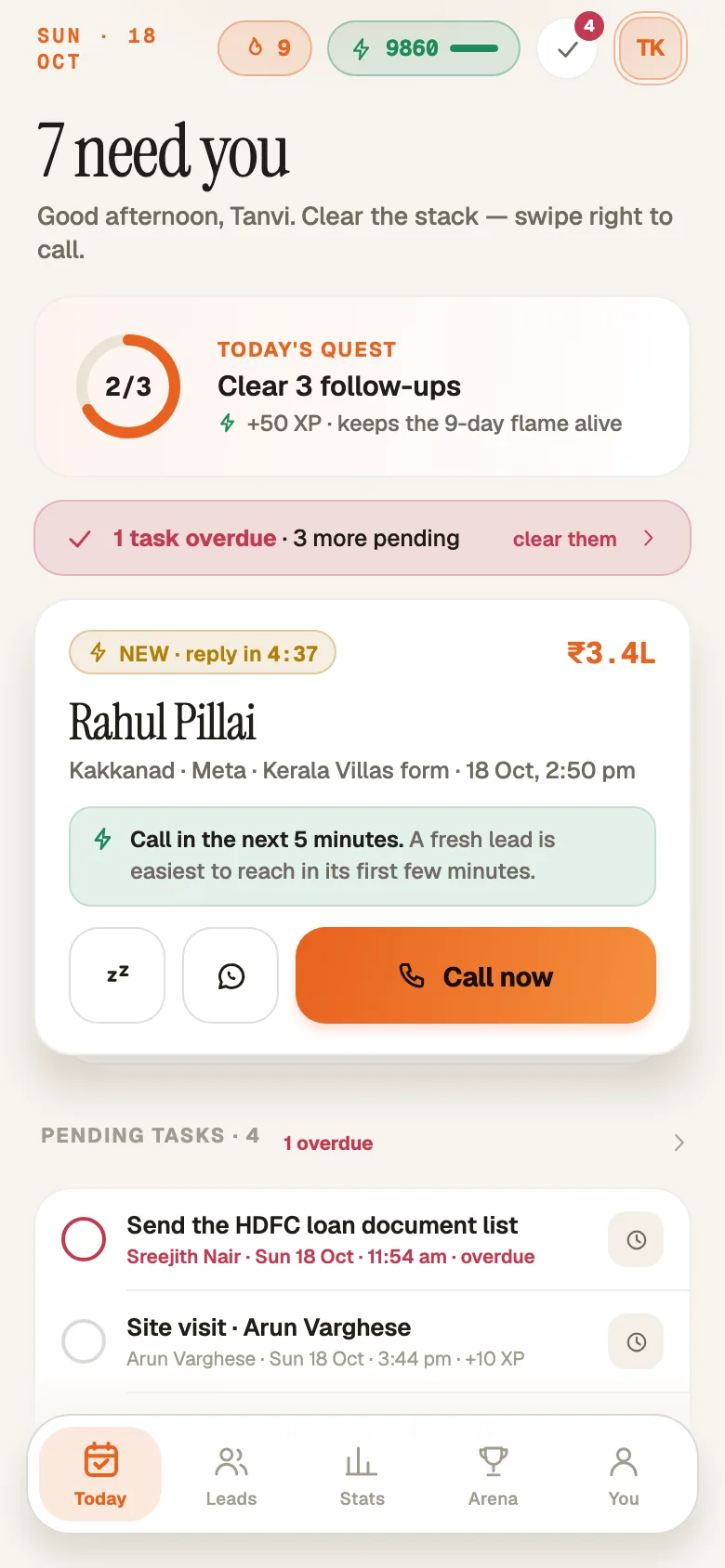
- 'Call now': call from the lead card and log it in two taps.
- 'Saved on this phone — it'll sync…': captures, notes and outcomes queue on the phone when the signal drops.
- 'Arena': XP for connected calls and booked next steps, not raw dial counts. Weekly leagues from Ember to Blaze, with the same board on the web.


Reps sign in with the invite their owner sends. There's no sign-up in the app. On Google Play in India and the UAE. On an iPhone, use the web app in Safari.
How reps get set up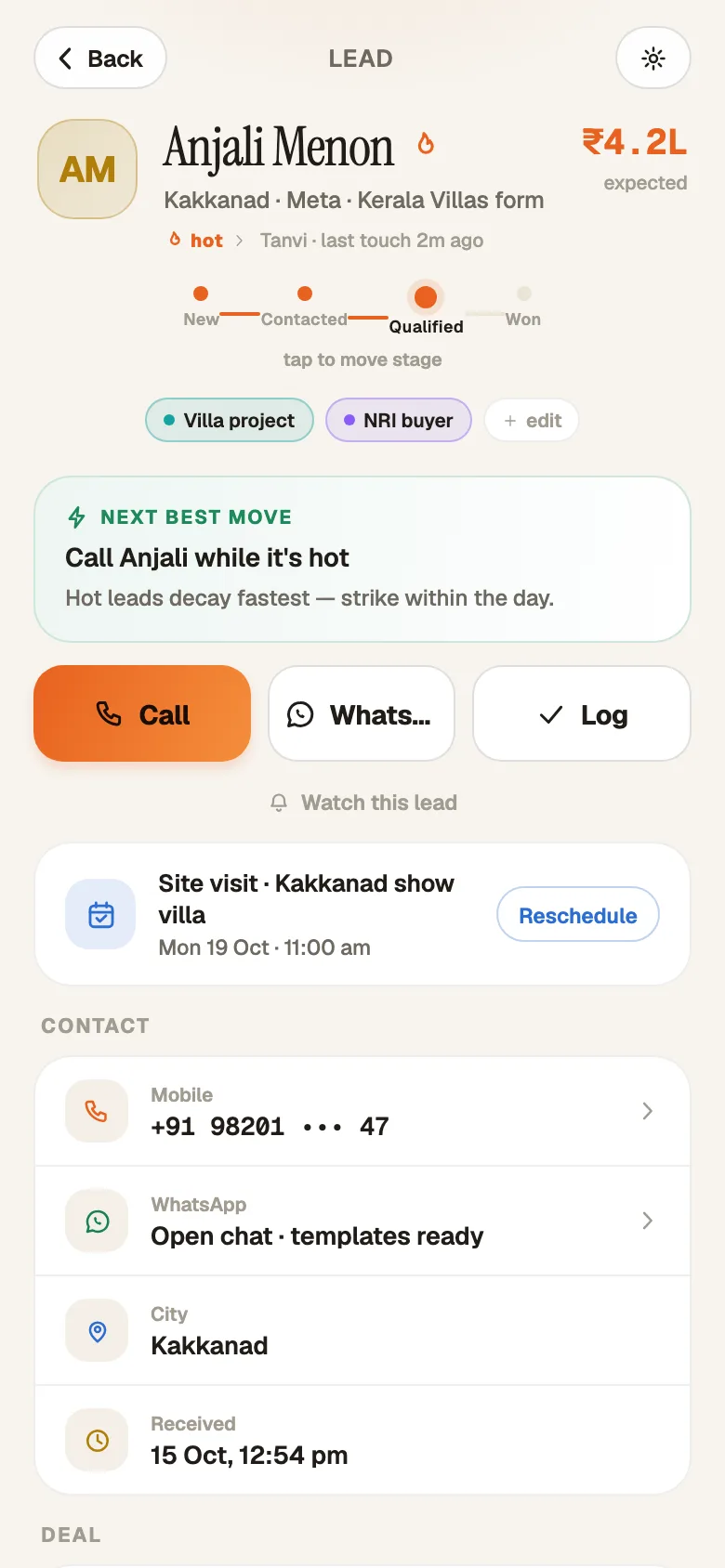
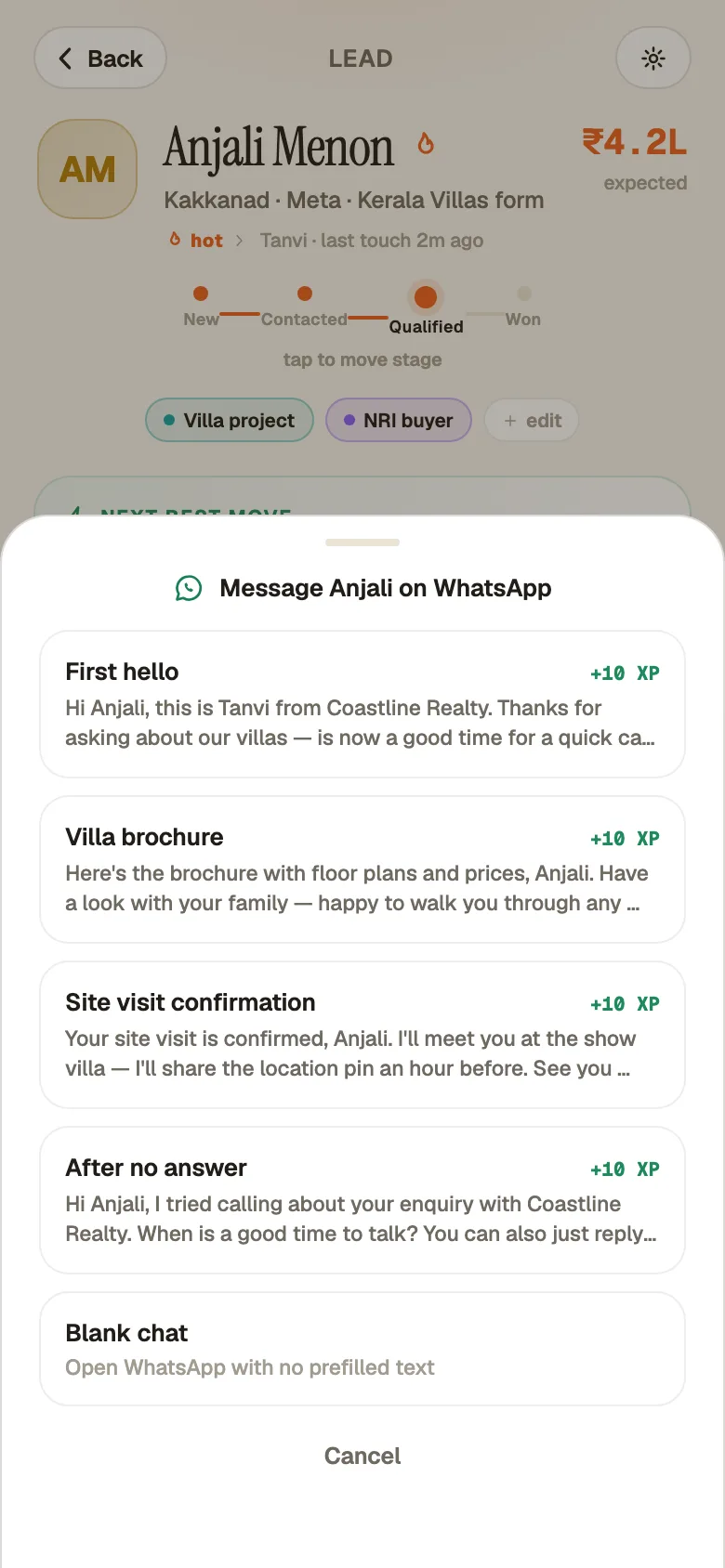
Fig. 5 · The floor
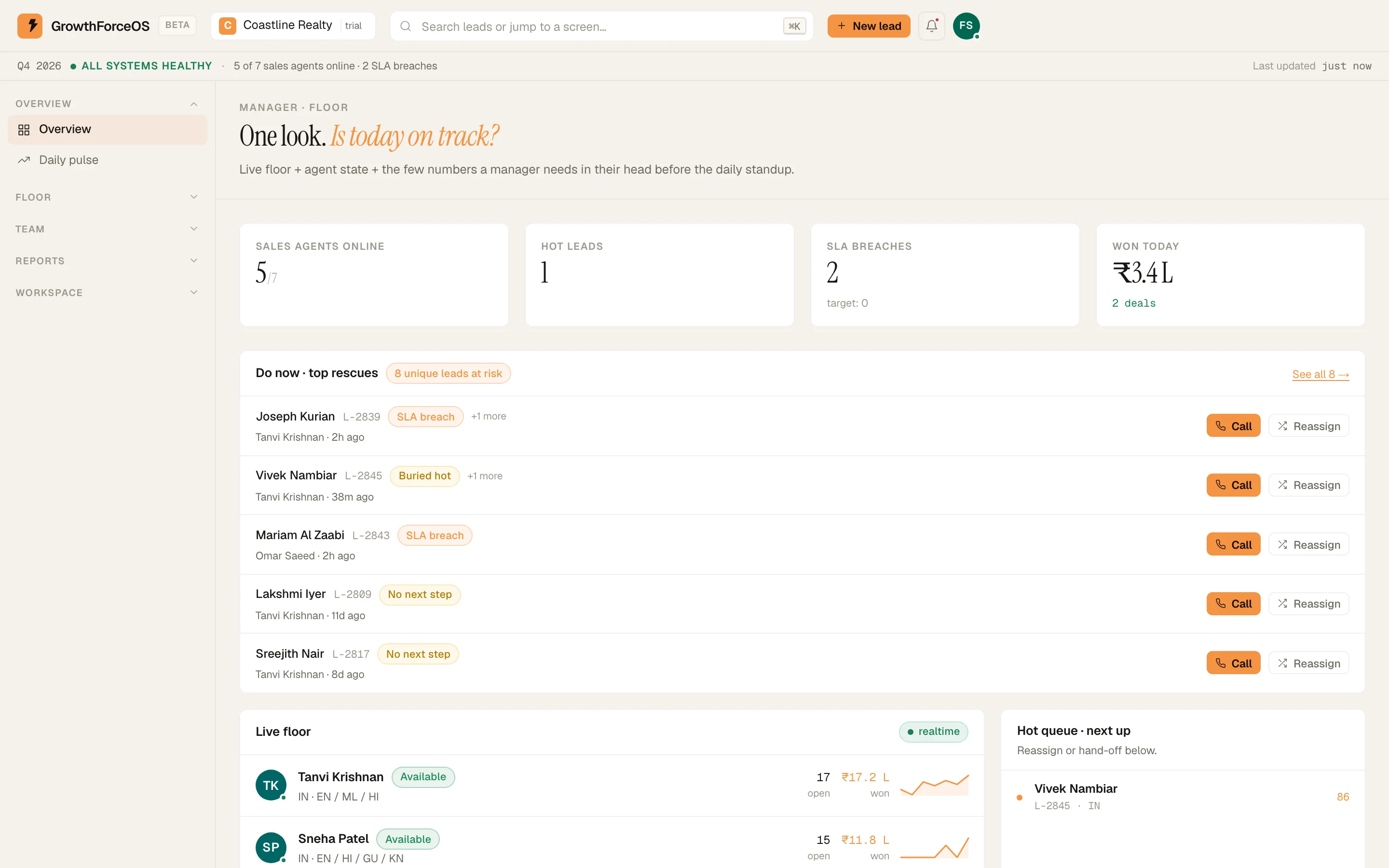
See who's working without chasing anyone on WhatsApp.
The manager floor shows who's online, which leads are slipping and why, and who's carrying too much. Fix it in a click.
Who's online, today's alerts and pace.
When a rep leaves, their book moves to a named teammate. Nothing goes dark.
Run the floor: manager guideFig. 6 · Numbers
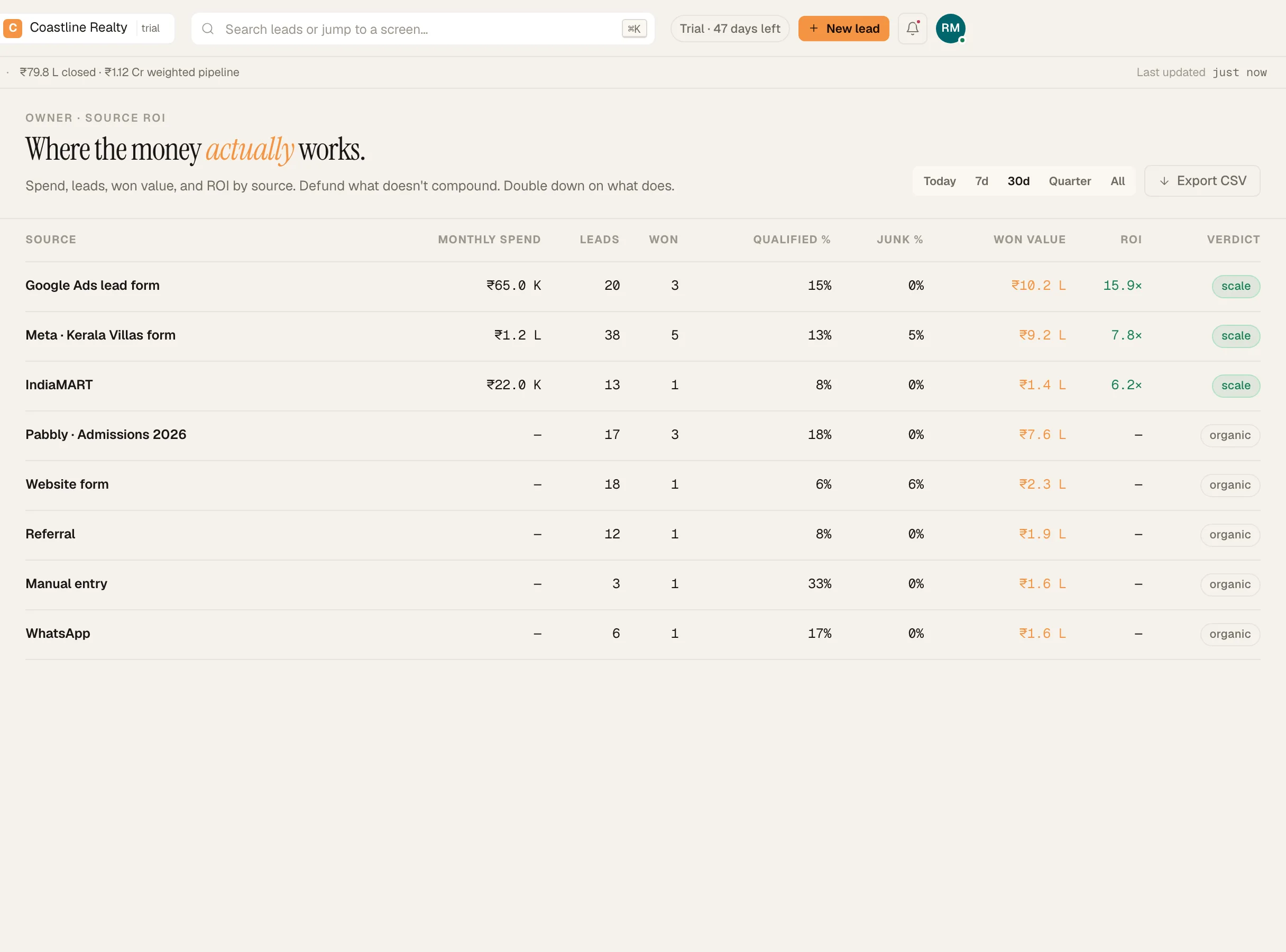
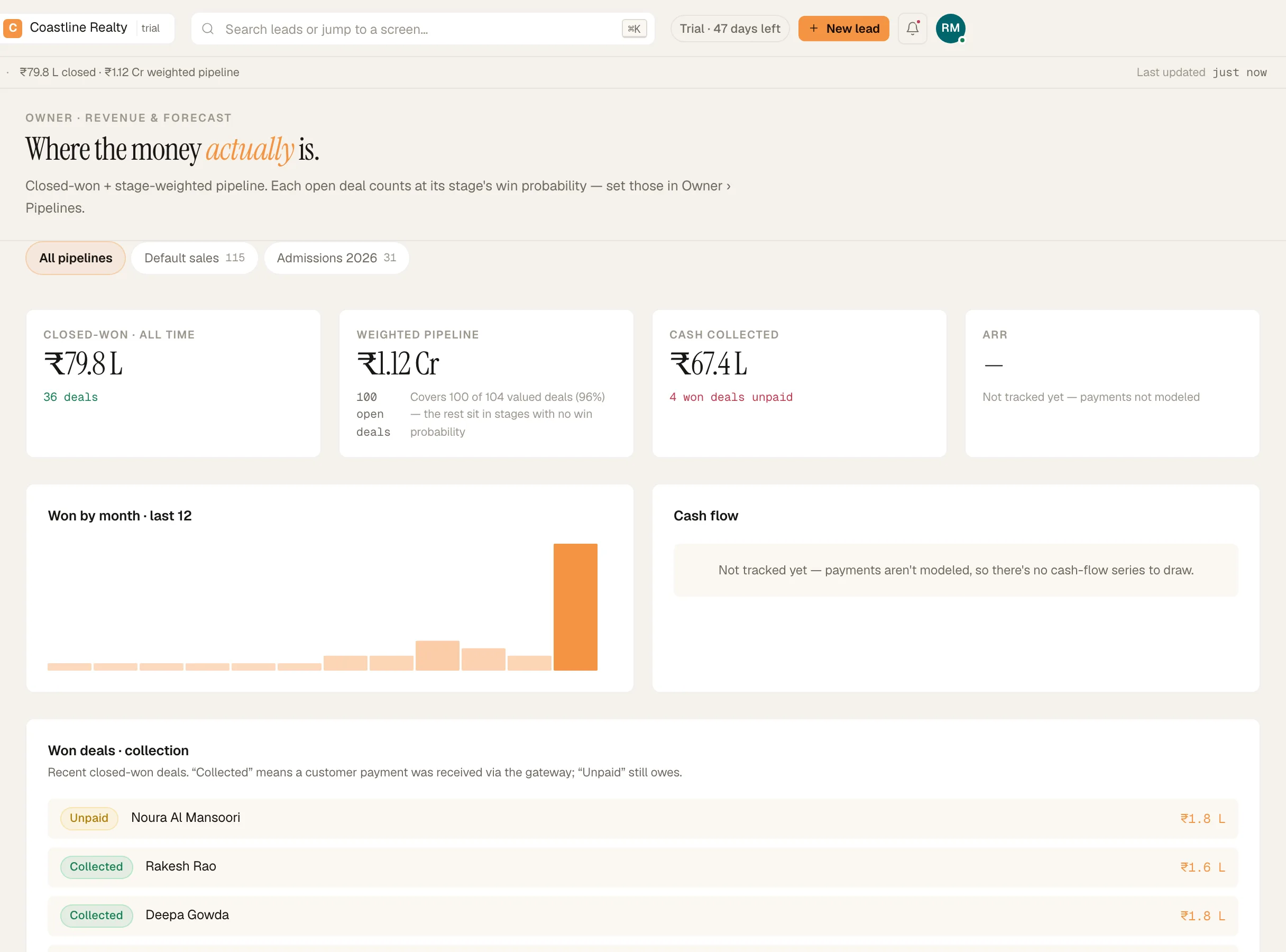
Numbers you can take to the bank.
Closed revenue comes from a ledger of won deals, repeat purchases included. The forecast tells you how much of your book it covers. When a number can't be computed honestly, the screen says so instead of guessing.
- Source ROI: enter each source's monthly spend and see which one closes.
- Lost reasons are recorded by your team at close, not guessed afterwards.
- Optional: send outcomes back to Meta so its delivery leans toward people who pick up and buy. Needs your dataset ID and token.
- Reports export to CSV.
Set up by you, not a consultant.
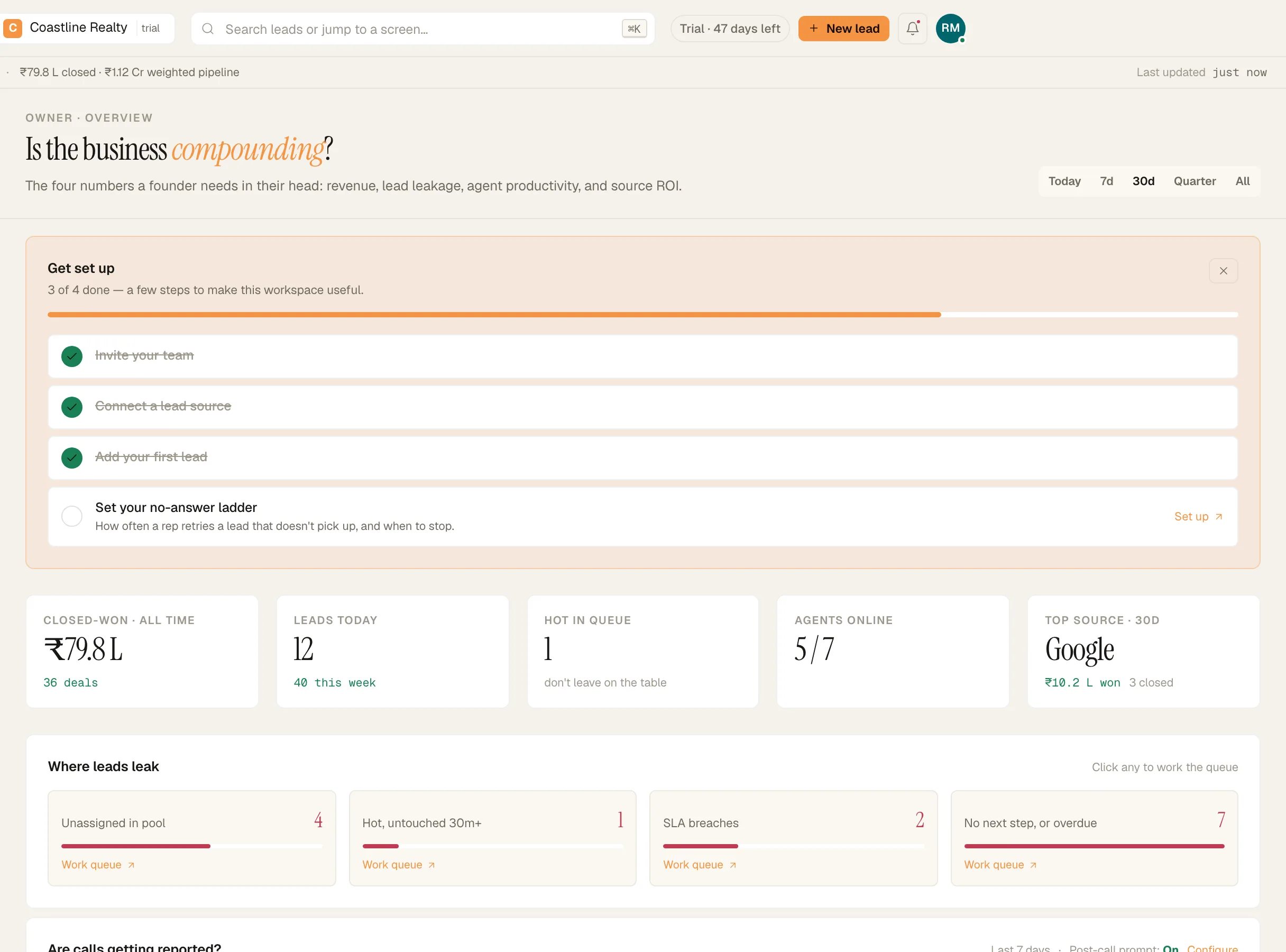
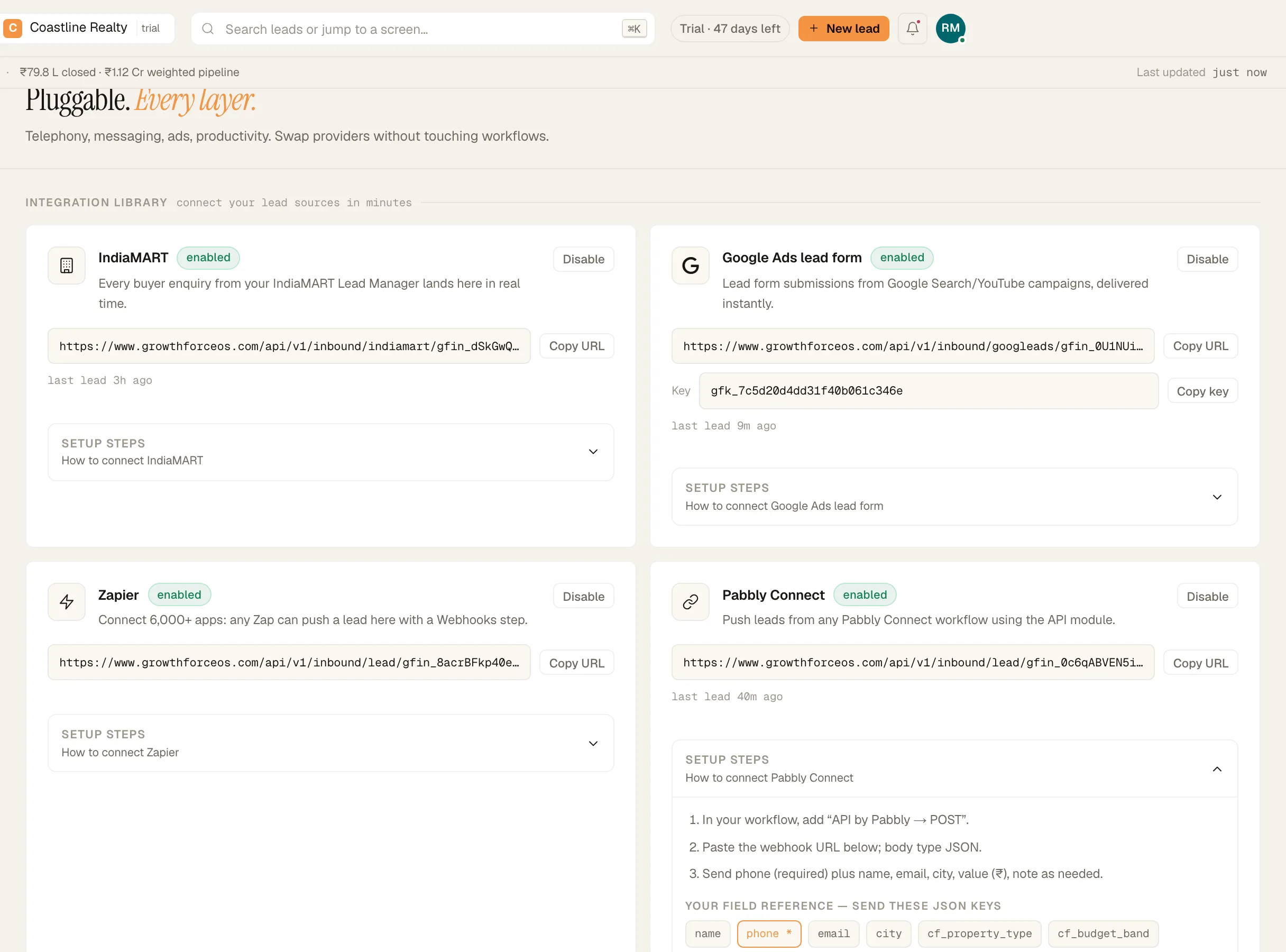
Your workspace starts with a default pipeline, a round-robin rule and your lead sources already in place. The 'Get set up' checklist walks you through the rest, and the setup steps for every source are written inside the product.
- 'Create your workspace': pick the country you sell in; timezone and currency follow.
- 'Connect a lead source': copy one URL into IndiaMART, Pabbly, Zapier or your form.
- 'Import CSV': bring your existing book; duplicates merge by phone number.
- 'Invite your team': each rep gets an email, sets a password and installs the app.
- 'Set your no-answer ladder': decide how hard to chase unreachable leads.
Stuck? A person reads every message sent from Help & support inside the app.
No card · 20 seats · 25,000 leads a month · Nothing switches off on day 60
Two months free. Then a person, not a payment page.
Long enough to run two full monthly cycles of leads and see your own numbers before you pay anything.
DAY 0
Start free.
No card. Growth-plan limits: 20 seats, 25,000 leads a month.
BEFORE DAY 60
We get in touch.
Someone from our team helps you choose seats and a plan. Want to talk sooner? Message us from Help & support inside the app.
DAY 60
Nothing switches off.
Your workspace keeps running on the same limits while we set up your plan.
YOUR PLAN
Pay by UPI or bank transfer.
No card on file means no automatic charge.
Plans from ₹249 per user a month. Outside India? We'll quote you in your currency.
Nothing switches off on day 60. Our team will contact you to set up your plan, and you can export your data at any time.
No card · 20 seats · 25,000 leads a month · Nothing switches off on day 60
Your leads are yours, and only yours.
Isolated in the database.
Every workspace is separated by Postgres row-level security, on top of the app's own checks.
Every move recorded.
An audit log of every change, exportable to CSV. Two-factor sign-in, and 'Sign out everywhere' when a phone goes missing.
Consent respected.
A lead who opts out can't be called or messaged by mistake. Export your data at any time.
Shipping lately
- Two months free on Growth-plan limits.
- The lead page shows the current follow-up.
- Names in Indic scripts are real names.
GrowthForceOS is built by the team behind GrowthFather, which runs its own lead-driven sales floor on it every day. Our story
Questions owners ask before they start.
How do I pay?
There's no card and no payment page. When you choose a plan, our team sets it up with you and you pay by UPI, NEFT/IMPS or bank transfer. No card on file means no automatic charge.
Can I bring my existing leads?
Yes. Use Import CSV on day one. Every row goes through the same duplicate and junk checks as a live lead.
What counts as a lead?
A lead counts once, when it first arrives in a calendar month. A repeat submission from the same phone number updates the existing lead and doesn't count again. Leads set aside as junk still count, because they arrived.
Does it work outside India?
Yes. Pick the country you sell in at signup, and reminders and deal values follow your timezone and currency. The interface is in English. Click-to-call bridging works with Exotel, in India. Elsewhere, the Call button opens the phone's dialer and logs the call.
Do my reps need iPhones?
No. The rep app is on Google Play for Android. Everyone else uses the web app, which works in any modern browser, including Safari on iPhone.
Is WhatsApp built in?
Reps send the messages you write from their own WhatsApp in two taps, and the lead's timeline records which template was sent. The app never reads their chats, and it doesn't send bulk messages.
Is GrowthForceOS built around AI?
No. It's built for human reps. Everything on this site ships today and is used daily.
What if we don't continue after the trial?
Tell us. Your leads are yours. Nothing switches off on day 60. Our team will contact you to set up your plan, and you can export your data at any time.
Can I talk to a person?
Always. Help & support inside the app is answered by a human, and replies land in the app and in your email. Or book a walkthrough.
Start Monday. Know by month two.
60 days free on Growth-plan limits. No card. A person from our team before day 60.
No card · 20 seats · 25,000 leads a month · Nothing switches off on day 60